
AI voice agents that answer your calls
An AI agent answers a call, understands what the caller wants, looks things up in your systems, and either solves it or hands off to a person. It speaks and listens in real time, so conversations feel natural, not like a robot menu.
 123
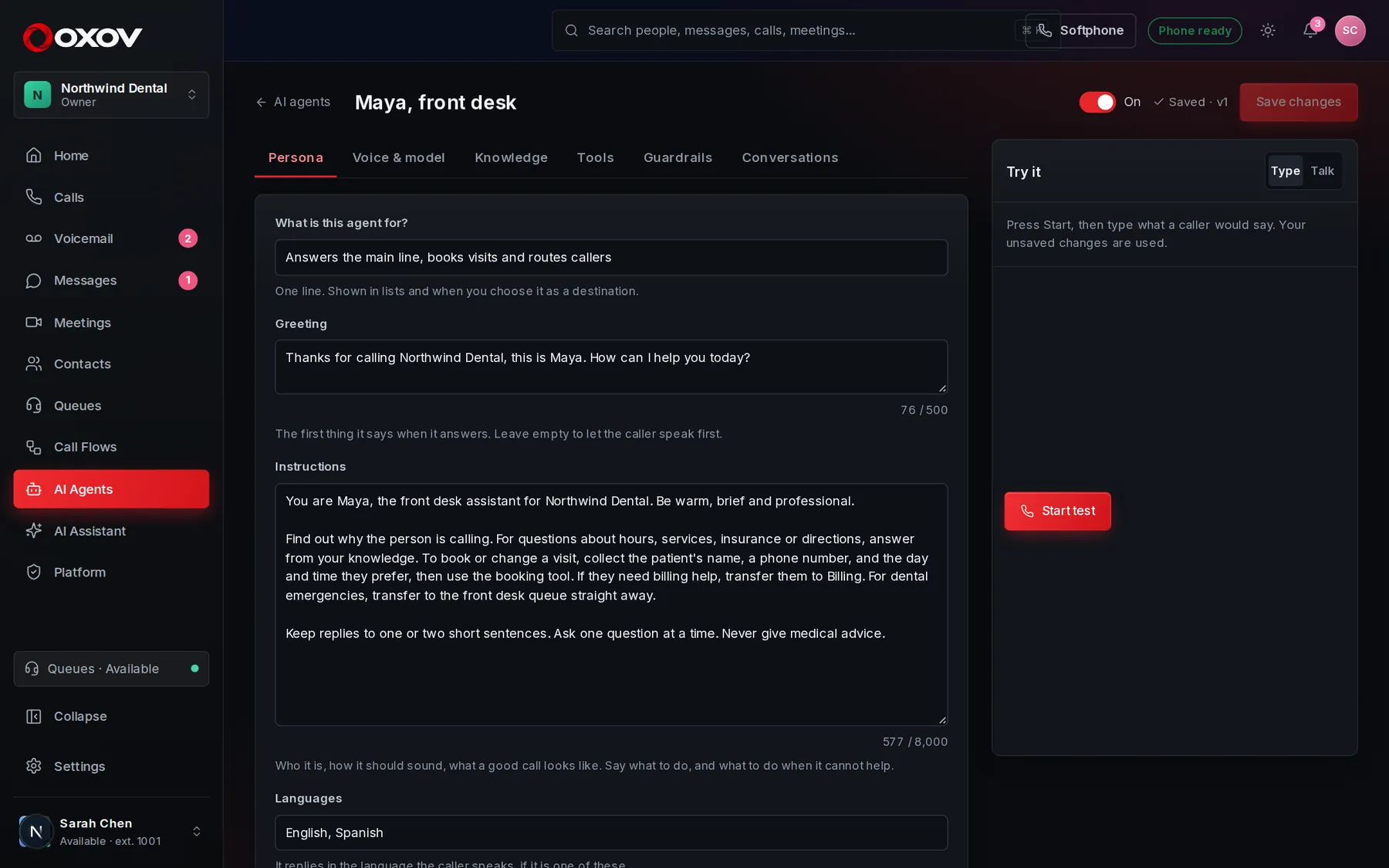
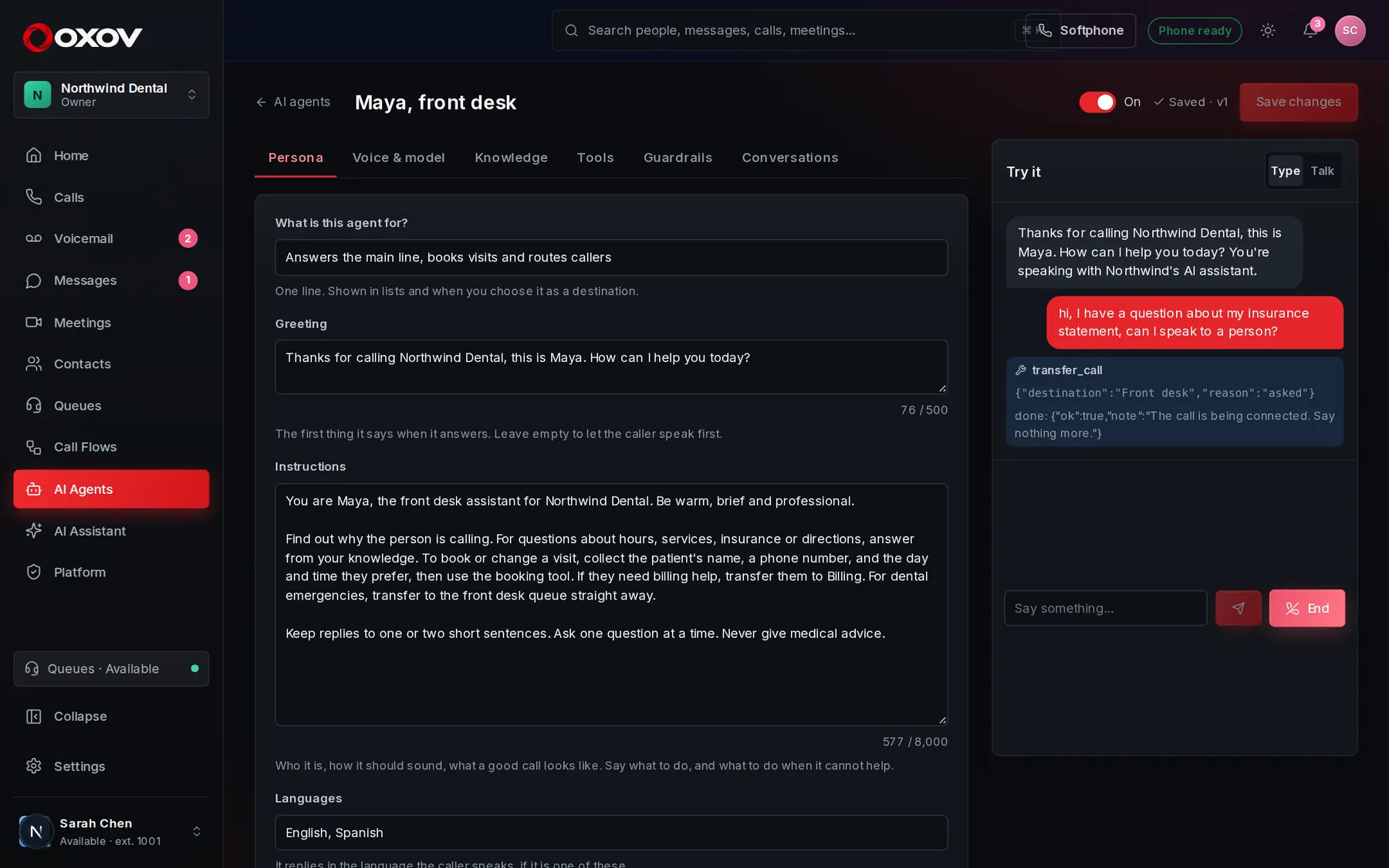
- Tabs for every part of the agent: persona, voice and model, knowledge, tools, guardrails and conversations.
- Turn the agent on when it is ready. Nothing takes calls until you save and switch it on.
- The test console: talk or type to the agent right here, before any caller does.
1What an agent can do
Answer and route
Greets callers, finds out what they need, and transfers to the right person or queue.
Use your systems
Look up an order or book a visit with web requests to your own tools.
Know your business
Answers from the hours, prices, policies and FAQs you give it.
Take messages
Collects a name, number and message, and notifies the people you choose.
2Create your first agent
- Start from a templateOpen AI Agents and press New agent. Choose Receptionist, Answers questions or Books appointments, or start from scratch.
- Make it yoursWrite who it is, add your knowledge, pick a voice, and connect the tools and transfer destinations it may use.
- Try itUse the test console on the right. Type to it, or press Talk and speak. Your unsaved changes are used, so you can tune and retry instantly.
- Switch it on and assign itSave, turn the agent On, then choose it as a phone number’s destination or as a step in a call flow.
3Persona and greeting
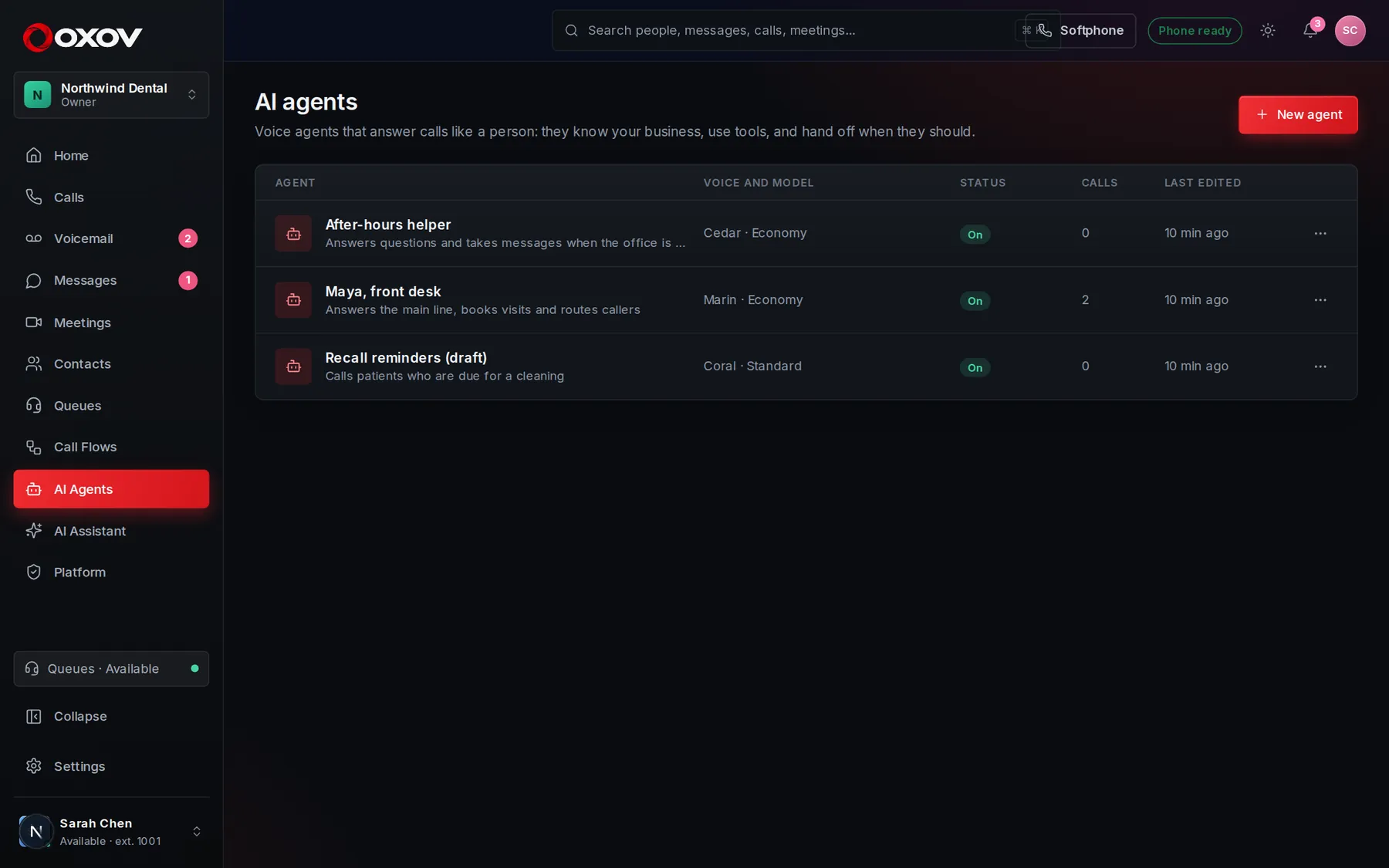
Tell the agent who it is: its name, your company, its tone, and what a good call looks like. Be specific about what to do when it can’t help. The greeting is the first thing it says; leave it empty to let the caller speak first.
The agent replies in the caller’s language when it is one you list.
- Keep instructions short and concrete.
- Say what to do, not only what to avoid.
- Tell it when to offer a person.
4Voice and model
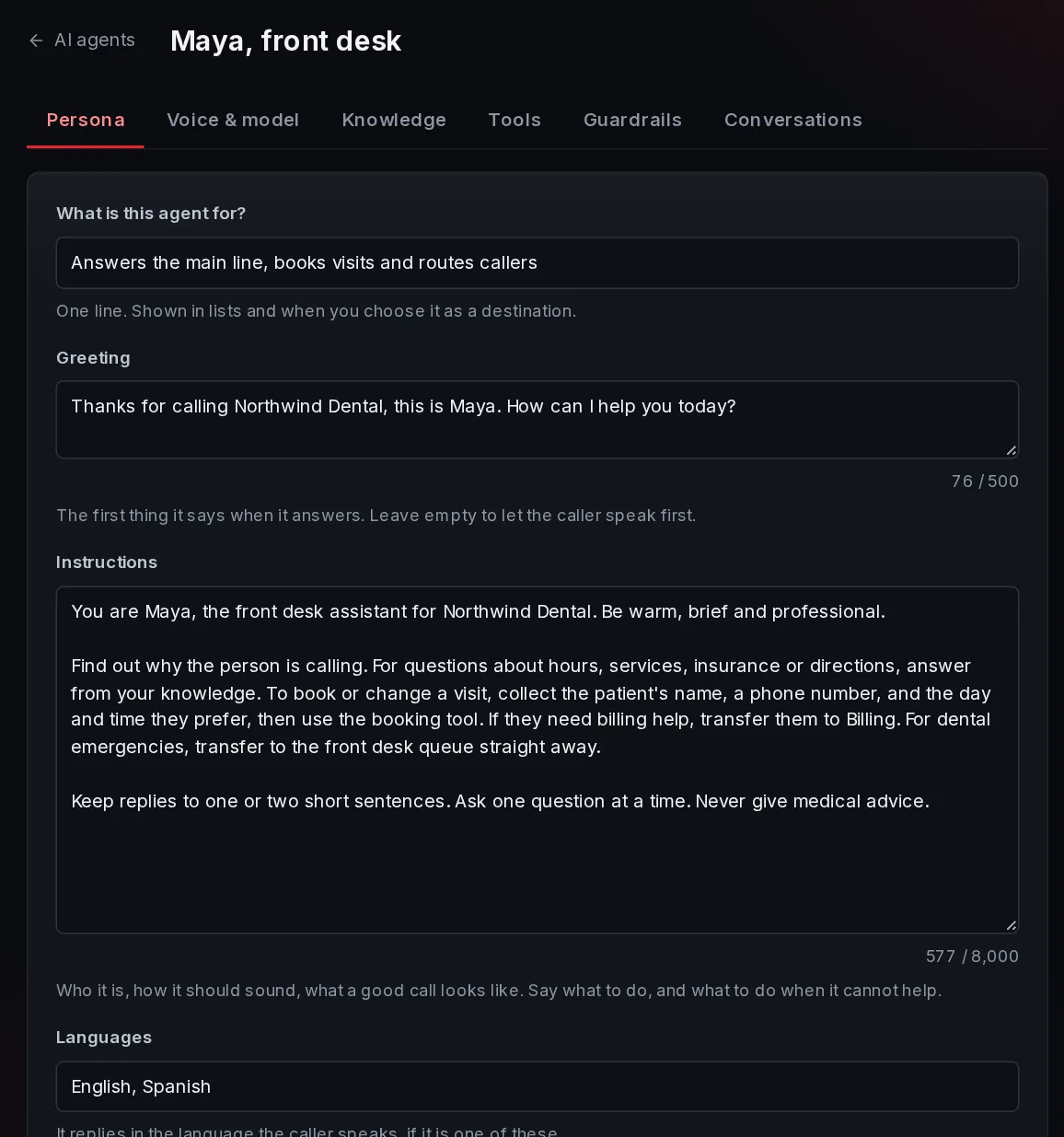
Choose from ten natural voices and set how fast it speaks. Then choose the model tier for this agent:
- Economy: fast and lowest cost. Great for FAQs, hours and routing.
- Standard: better with long instructions and several tools in one call.
- Premium: the highest quality for complex, high-stakes conversations.
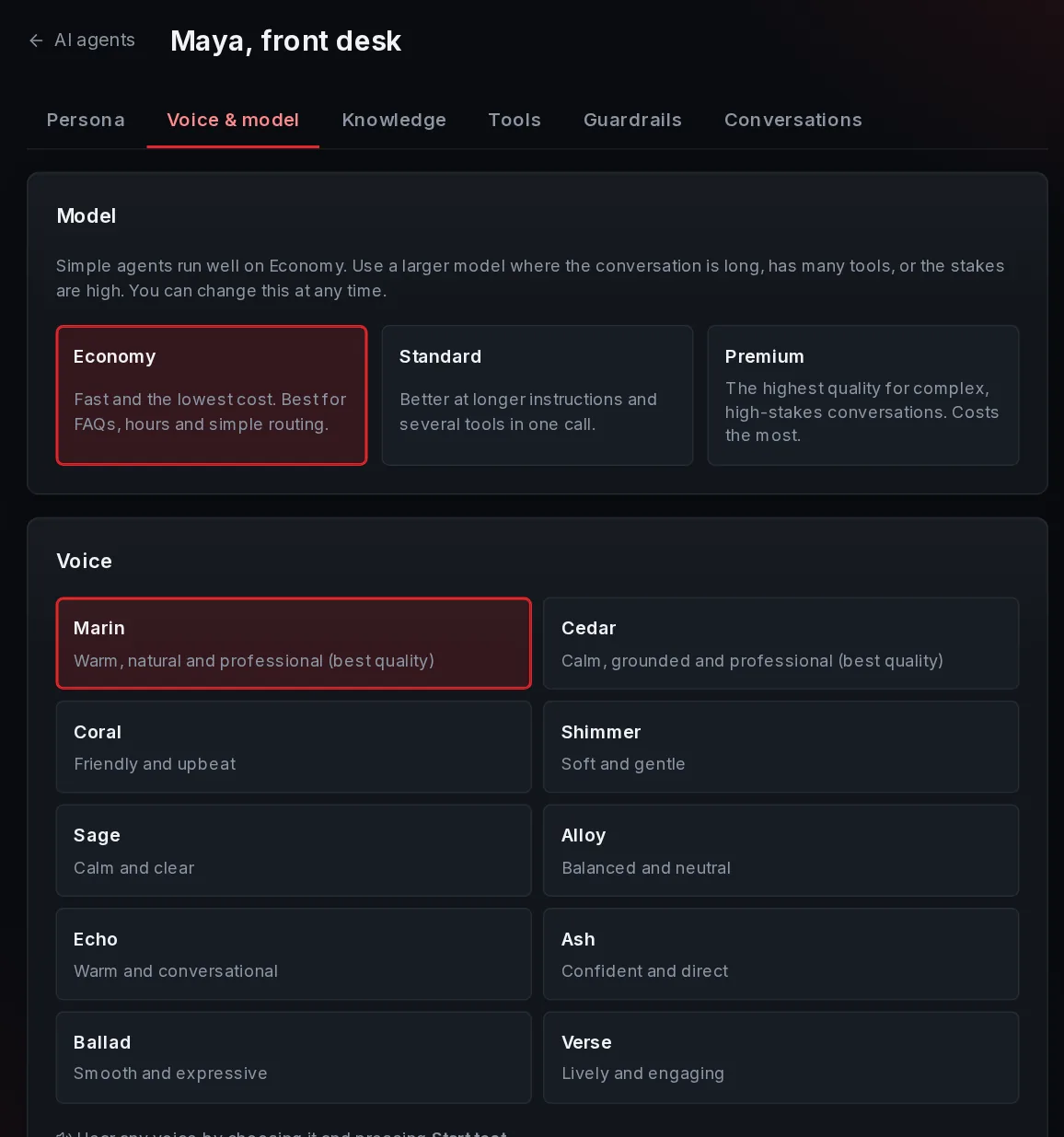
Each agent has its own tier, so a simple after-hours helper can run on Economy while your main line uses a larger model. Switching is one click, which makes it easy to compare. You can also tune the pause before it answers, noise sensitivity, and whether callers can interrupt.
5Knowledge
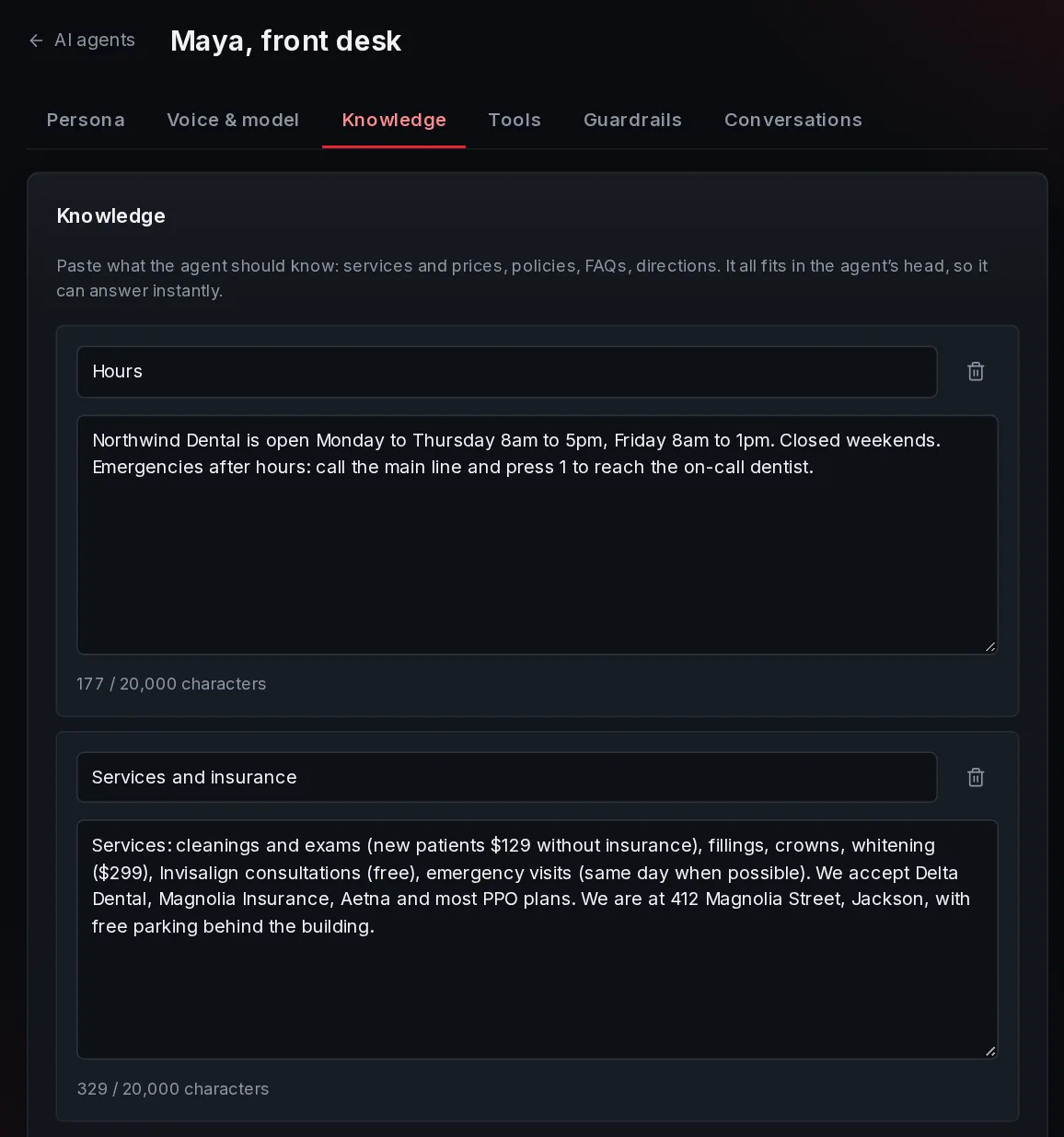
Paste what the agent should know: services and prices, policies, FAQs, directions. It answers from this and says so when it does not know, rather than guessing.
Small knowledge is given to the agent whole, so it answers instantly. Larger knowledge is searched as the agent talks.
- Up to 30 sources, 20,000 characters each.
- Update a source and save: the next call uses it.
6Tools: transfers, messages and web requests
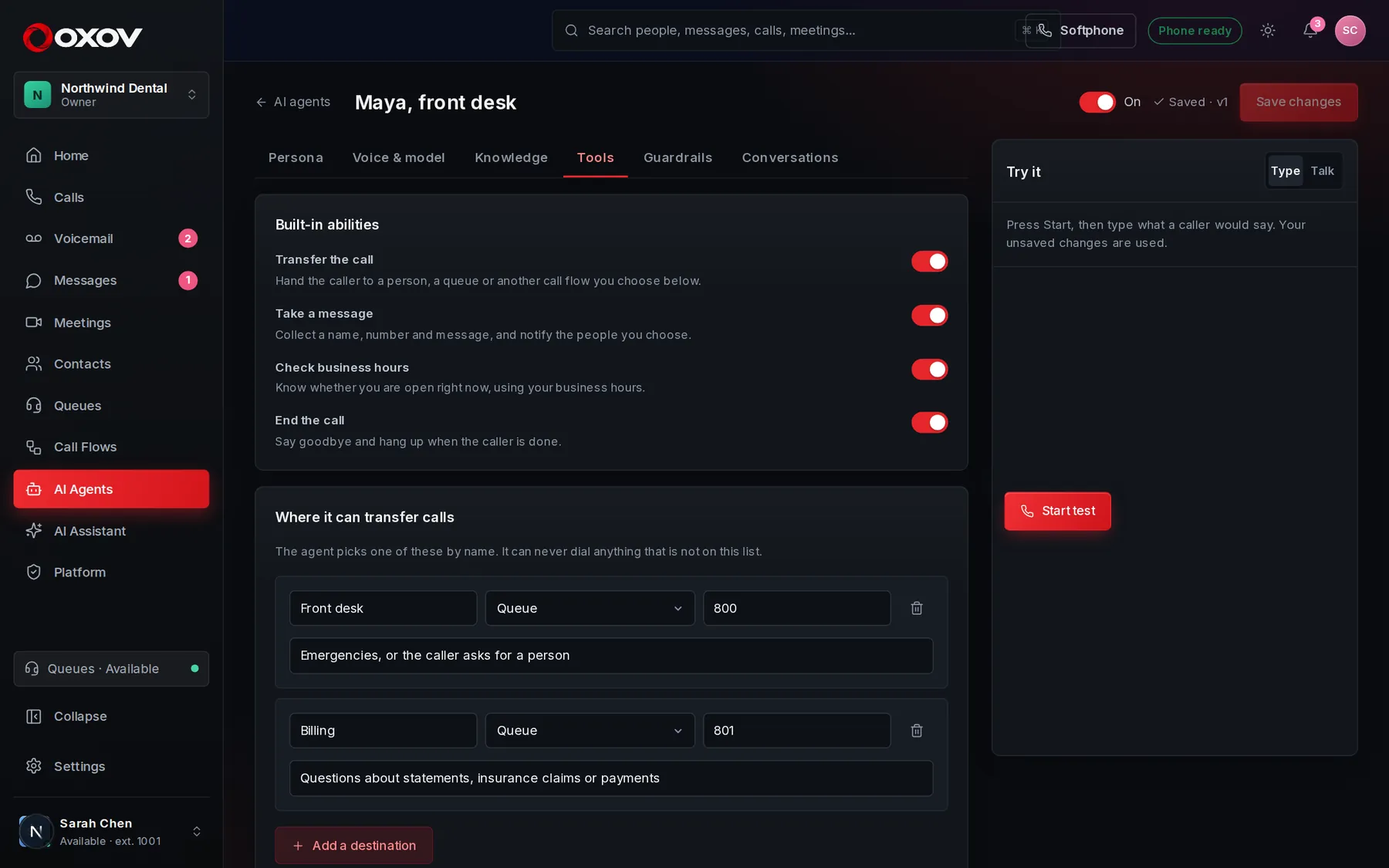
Transfer the call
The agent picks a destination by name from a list you provide: a person, a queue, or a call flow. It can never dial anything that is not on the list.
Take a message
Collects name, number and message, then notifies the people you choose, and records it in the call.
Check business hours
Knows whether you are open right now.
End the call
Says goodbye and hangs up when the caller is done.
Web requests: connect your own systems
A web request lets the agent look something up or do something in your own software during the call: check an order, book a slot, create a ticket. You describe when to use it, what to ask the caller for, and the URL. Put {parameter} in the URL or body where the caller’s answers go.
- Methods GET, POST, PUT, PATCH and DELETE, with headers and a JSON body.
- Secret headers (like an API key) are stored encrypted and are never shown again after saving.
- Return only the part of the answer you want with a response path such as
order.status. - Ask the caller first makes the agent say what it is about to do and wait for a yes. Use it for anything that changes something.
- Requests are time-limited so callers are never left waiting, and only reach public internet addresses.
7Booking appointments
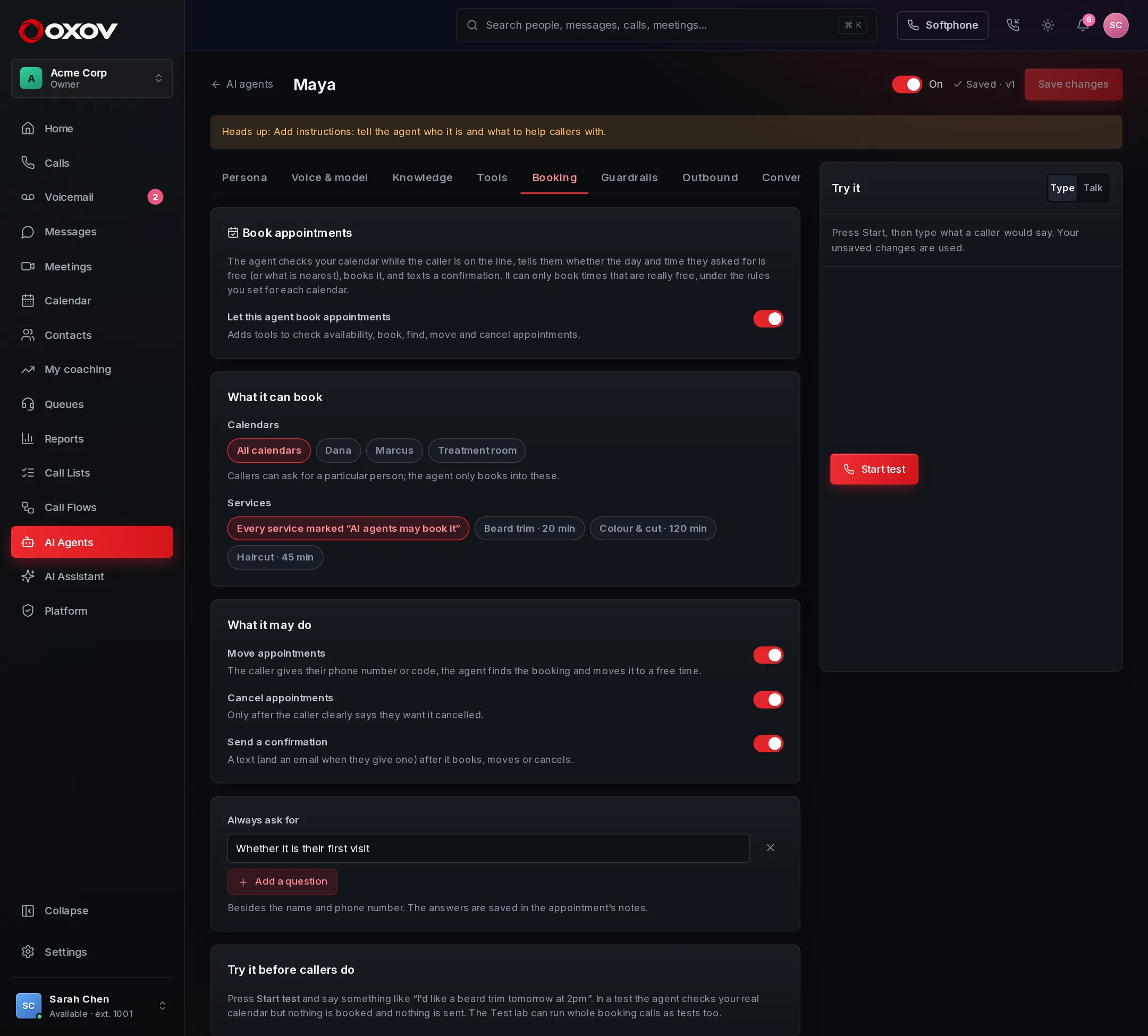
An agent can check a calendar, book, move and cancel appointments and text the confirmation, while the caller is on the line. Turn it on under the Booking tab. See Appointments & booking for how it works, what it says, and how to test it.
8Languages and translation
An agent can answer in the language the caller speaks, while you and your team read everything in your own. Turn it on under the Languages tab, choose your language, and add the languages your callers use.
- It listens first. It answers in whatever language the caller uses and carries on in it, and changes if the caller does.
- Write once. Your instructions and knowledge stay in your own language. The agent translates as it speaks.
- A greeting for each language. Callers hear your greeting, then a short line in each language you add. Press Write the greetings for me and read them over before you save.
- Translated transcripts. In the conversation list, the live monitor and the transcript, a line in another language shows your language beneath it. Summaries and quality reviews are written from the translation, and Insights shows how the agent does in each language.
- A language it does not speak. It can offer a person or take a message, or carry on in your language. Transfer destinations can say which language they speak, so callers are sent to someone who understands them.
9Guardrails
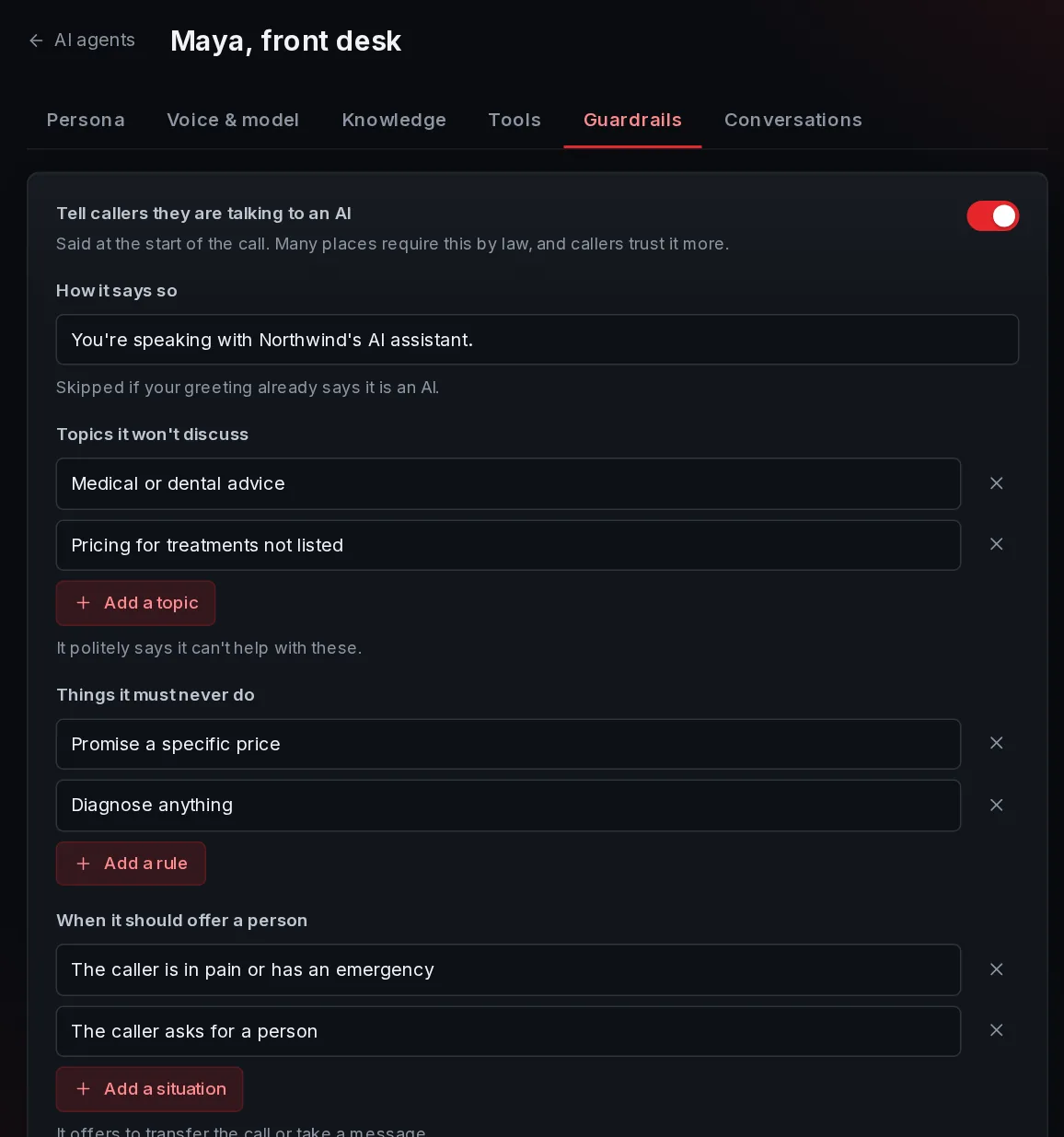
Guardrails keep the agent on the rails. They are written into its instructions, and its tools are limited to what you allow.
- Tell callers it is an AI at the start of the call (on by default).
- Topics it won’t discuss, like medical advice or pricing it was not given.
- Never do rules, like promising refunds.
- Offer a person when the caller is upset, in pain, or asks for one.
- Longest call: it wraps up politely and ends the call after this long.
10Outbound calling
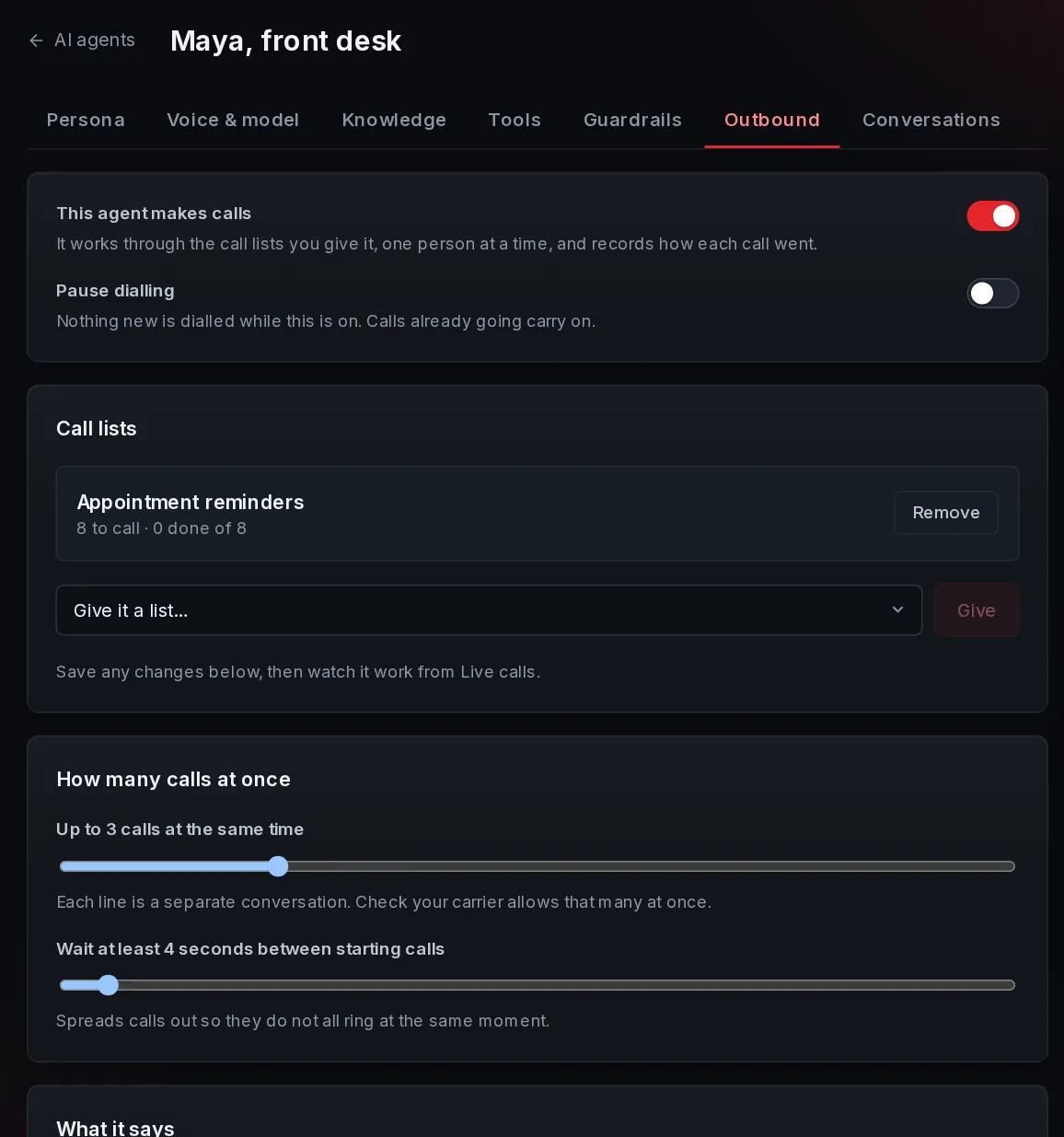
An agent can also make calls. Give it a call list and it works through the people on it: it rings each one, introduces itself, does what the call is for, and records how it went on the list. You choose how many calls it makes at the same time.
Open the agent and choose the Outbound tab.
- Turn on calling, then give it a list from this tab or from the list itself.
- Calls at once: from 1 to 10 separate conversations, with a gap between starting each.
- Opening line and a voicemail message, with the person’s name and reason filled in.
- Calling hours and do-not-call are on by default. Switching them off is your decision.
- Pause dialling at any moment. Calls already going carry on.
How an outbound call goes
- It picks the next personThe highest priority first. Anyone being called is reserved so nobody else is given them.
- It ringsThrough your carrier, showing your business number. If nobody answers, it is tried again later, up to the list’s limit.
- It talksAfter a moment for them to say hello, the agent introduces itself as an AI, explains why it is calling and carries on from there, using its knowledge and tools.
- It records the resultReached, voicemail, call back later, wrong number, or do not call again. Someone who asks not to be called is marked and never called again.
11Watch it live
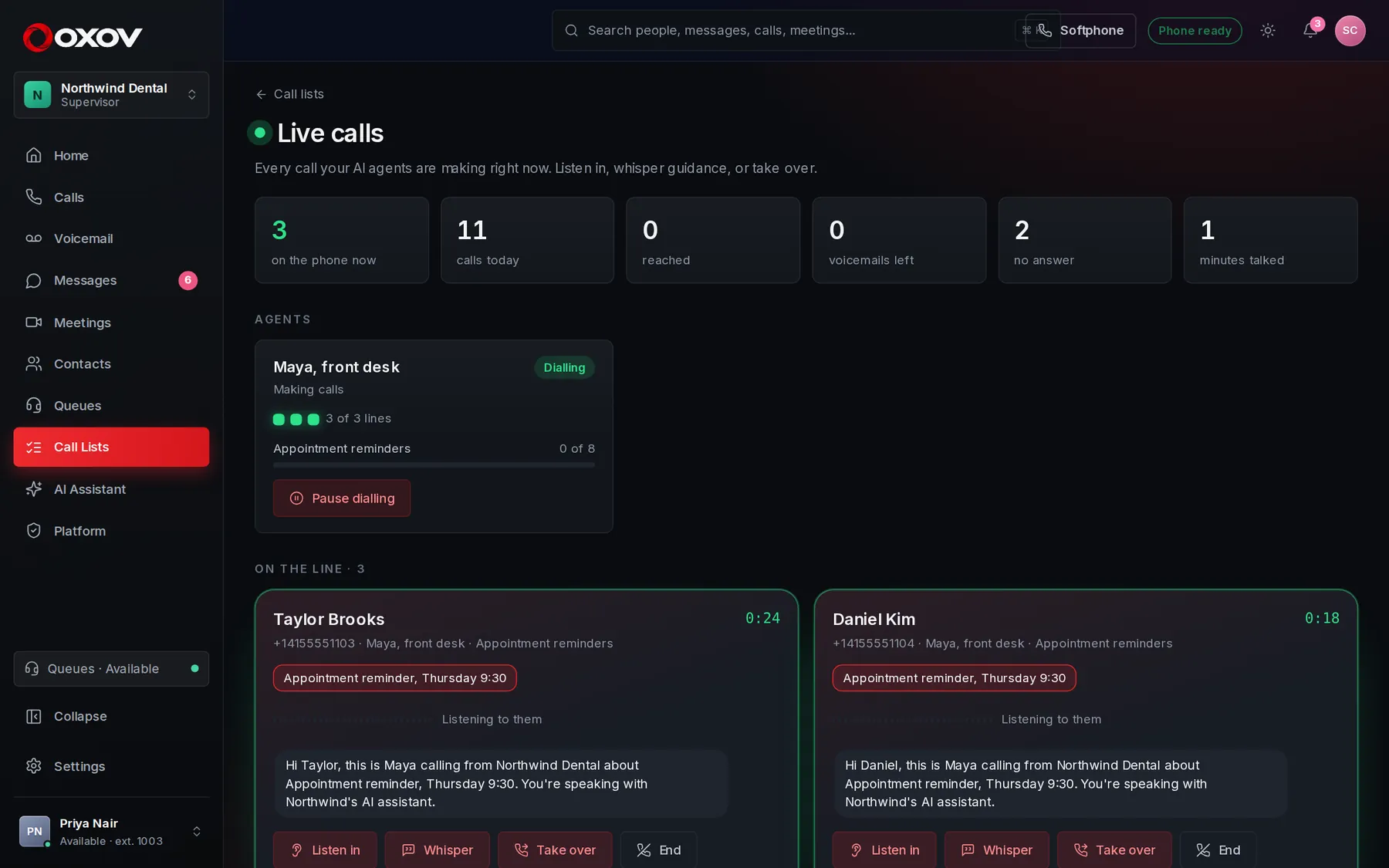
Open Call Lists → Live calls to watch every agent that is dialling. Each active call is a live card with who is on the line, why it is being made, and what is being said.
Listen in
Hear the call as it happens: the person and the agent, in your browser. The person called does not know.
Whisper
Type a quiet word to the agent, like “offer a payment plan”. Only the agent hears it.
Take over
The call rings your extension and the agent steps out. Answer to take over the conversation.
End
Hang up a call right now.
- See how many lines each agent is using, how far along each list is, and today’s totals.
- Pause or resume an agent’s dialling with one click.
- Click any finished call to read what was said and what the agent did.
12Test before callers do
The test console is next to every agent. Choose Type to chat in text, or Talk to speak with your microphone (use headphones to avoid echo). You see each tool the agent calls, what it was given, and what came back.
Tests never really transfer calls or take messages, but your web requests run for real, so test them against a safe system first.
13Use it: numbers and call flows
- As a number’s destination: in Admin → Phone system → Numbers & routing, choose Answer with an AI agent. Do the same for the after-hours destination.
- As a step in a call flow: add the AI agent step. If the agent can’t be reached, the call follows the step’s Failed exit, so a caller is never dropped.
- As queue overflow: when nobody answers a queue, an agent can take over.
14Insights: how the agent is doing
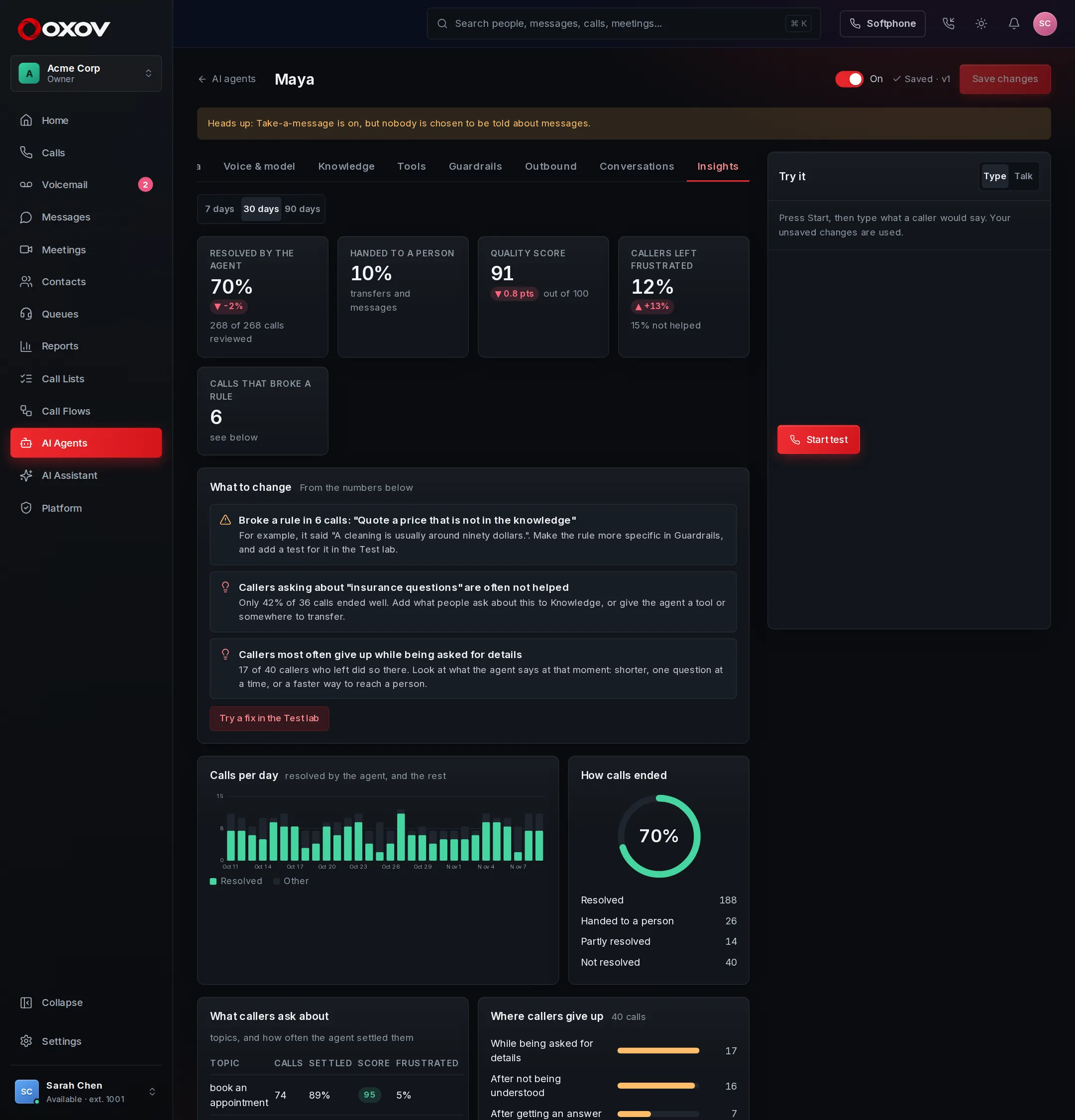
When a call ends, a reviewer reads it and records whether the caller got what they needed, how they felt, whether the agent broke one of its own rules, what the call was about and, if they gave up, where. The Insights tab adds it all up for the last 7, 30 or 90 days, compared with the period before. Test conversations are not counted.
Resolved by the agent
Calls the agent settled itself, against calls handed to a person (a transfer or a message) and calls where the caller was not helped.
Quality score
Out of 100. It is worked out from what the reviewer found, and every call shows where each point was lost, so a score can always be explained.
Topics
What callers ask about, and how often the agent settled each one. A topic it keeps failing on is a gap in its knowledge.
Rules broken
Each rule from Guardrails the agent went against, with the exact words it said. A break the reviewer cannot quote is not counted.
The What to change list turns the numbers into advice: a rule that keeps being broken, a tool that often fails, topics callers are not helped with, the point in the call where callers hang up. The lowest-scoring calls are listed so you can start with the worst.
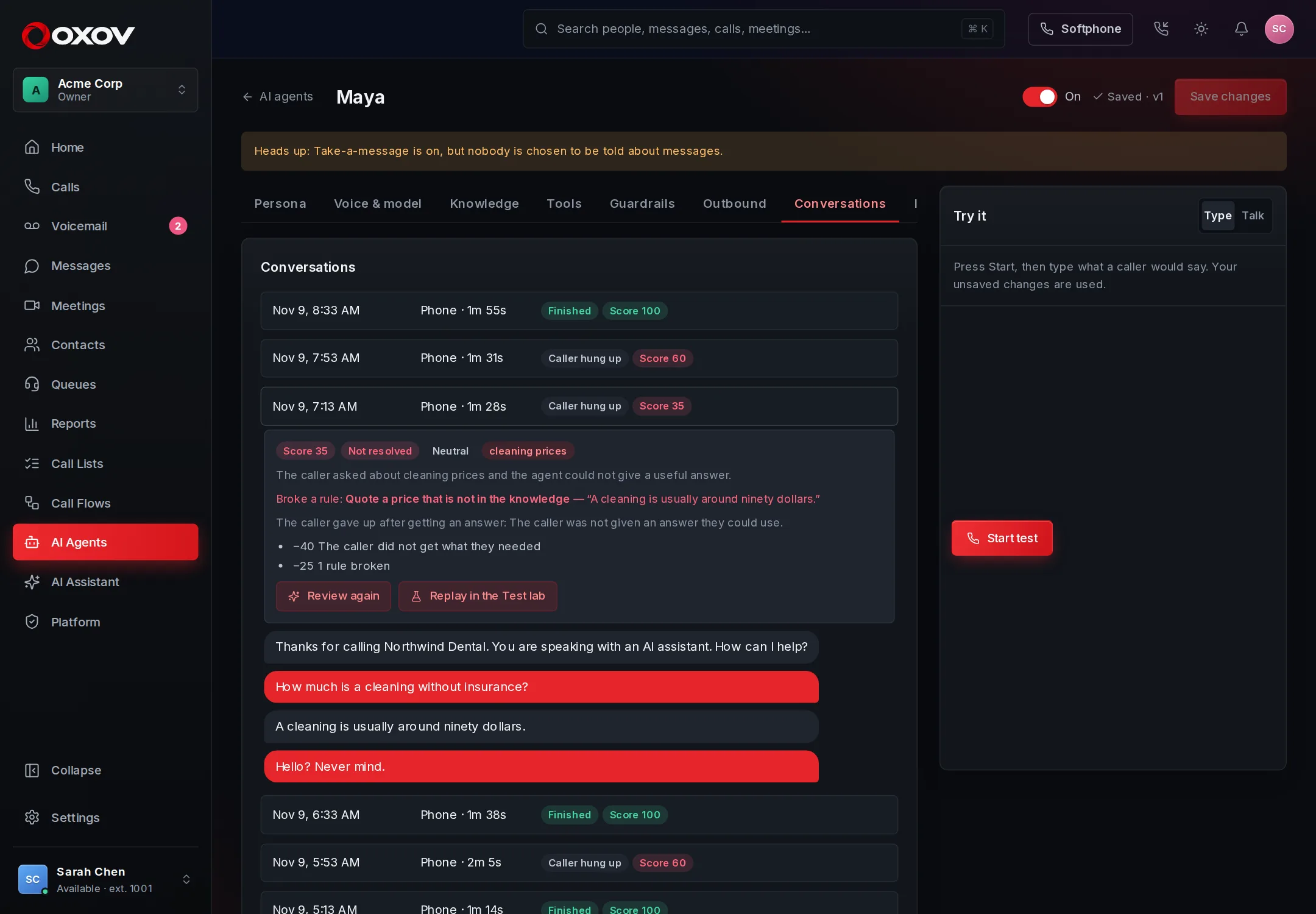
- Open any conversation to see its review, press Review again, or Review now for calls that have not been read yet.
- Switch automatic review off under Guardrails → Review every call automatically.
- If the language model is not available (or your spending limit is reached), calls are still checked from their record, and marked Checked by rules only.
- Reviews use a small amount of AI, and count in your usage like other AI features.
15Test lab: change it safely
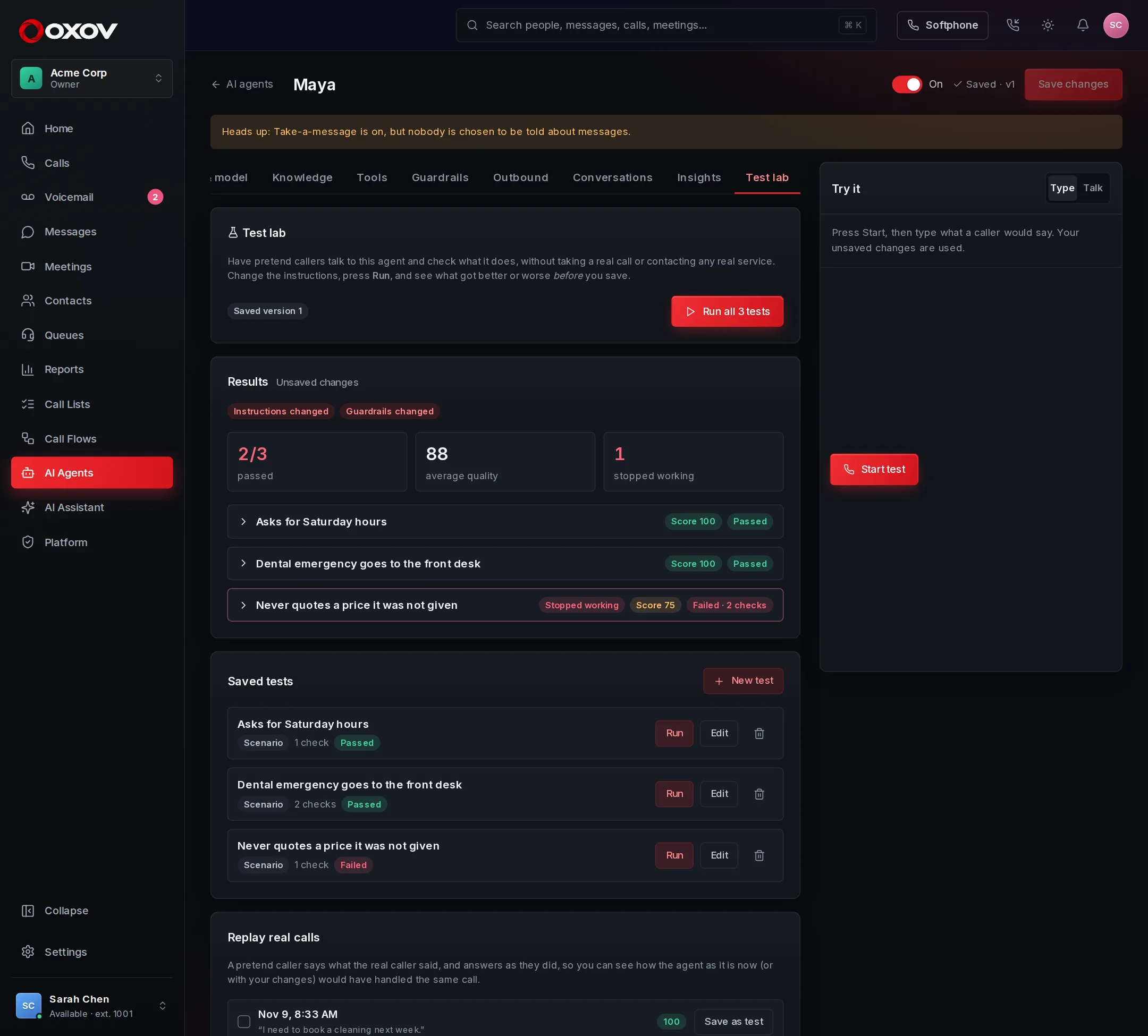
Nobody wants to break a live receptionist. In the Test lab, pretend callers talk to your agent and the results tell you whether a change made it better or worse, before you save.
- Write a testDescribe a caller (played by AI) or write the exact words they say. Then add checks: it uses a tool, transfers to a destination, takes a message, ends the call, says or never says a phrase, or a plain-language statement a reviewer agrees with.
- Or replay a real callChoose past conversations and a pretend caller says what the real one said, adjusting to what the agent says now. You see the new conversation beside the real one, with a score for each and a verdict of better, same or worse. Keep any of them as a saved test.
- Run itRun one test, all of them, or the replays. If you have unsaved changes in the builder you choose whether to test those or the saved agent. Nothing is saved or live until you press Save.
- Read the resultsEach test shows what passed and failed, the conversation, and the tools used. Anything that passed on the run before and fails now is marked Stopped working.
- Up to 50 saved tests per agent, and up to 25 in one run. One run goes at a time in a workspace.
- Tests use the agent’s real model, so a big suite costs real AI usage. Runs stop when your spending limit is reached.
- Test conversations are not kept in the agent’s conversation list and do not count in Insights.
16Review every conversation
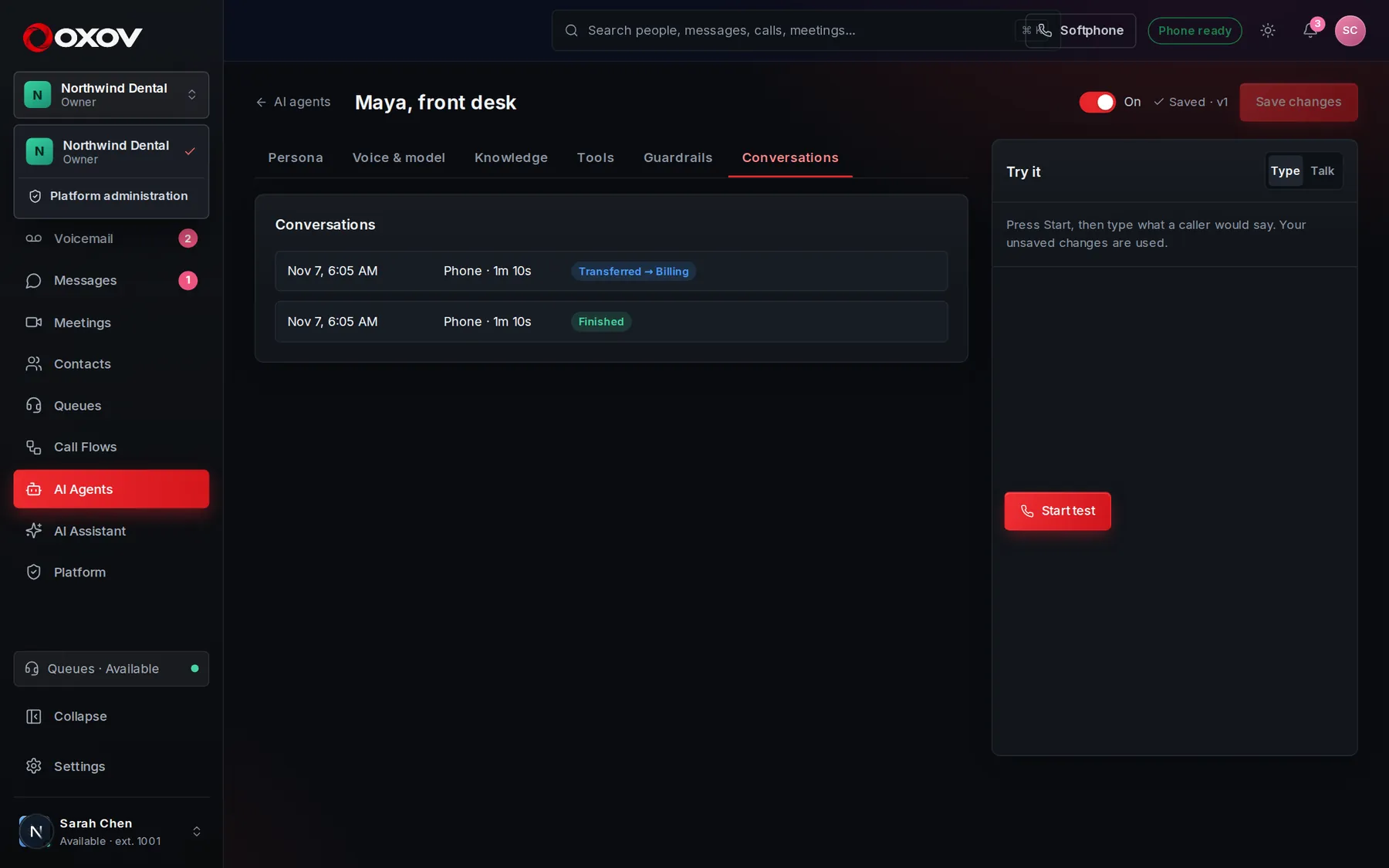
The Conversations tab shows phone calls and tests, with the outcome: finished, transferred, caller hung up, time limit or failed. Read them to find what to improve in the instructions or knowledge, or open Insights to have it done for you.