
Docs / AI that works for you · Everyone
AI Assistant
The assistant searches your work for you and answers with links to where it found it, so you can check what was really said.
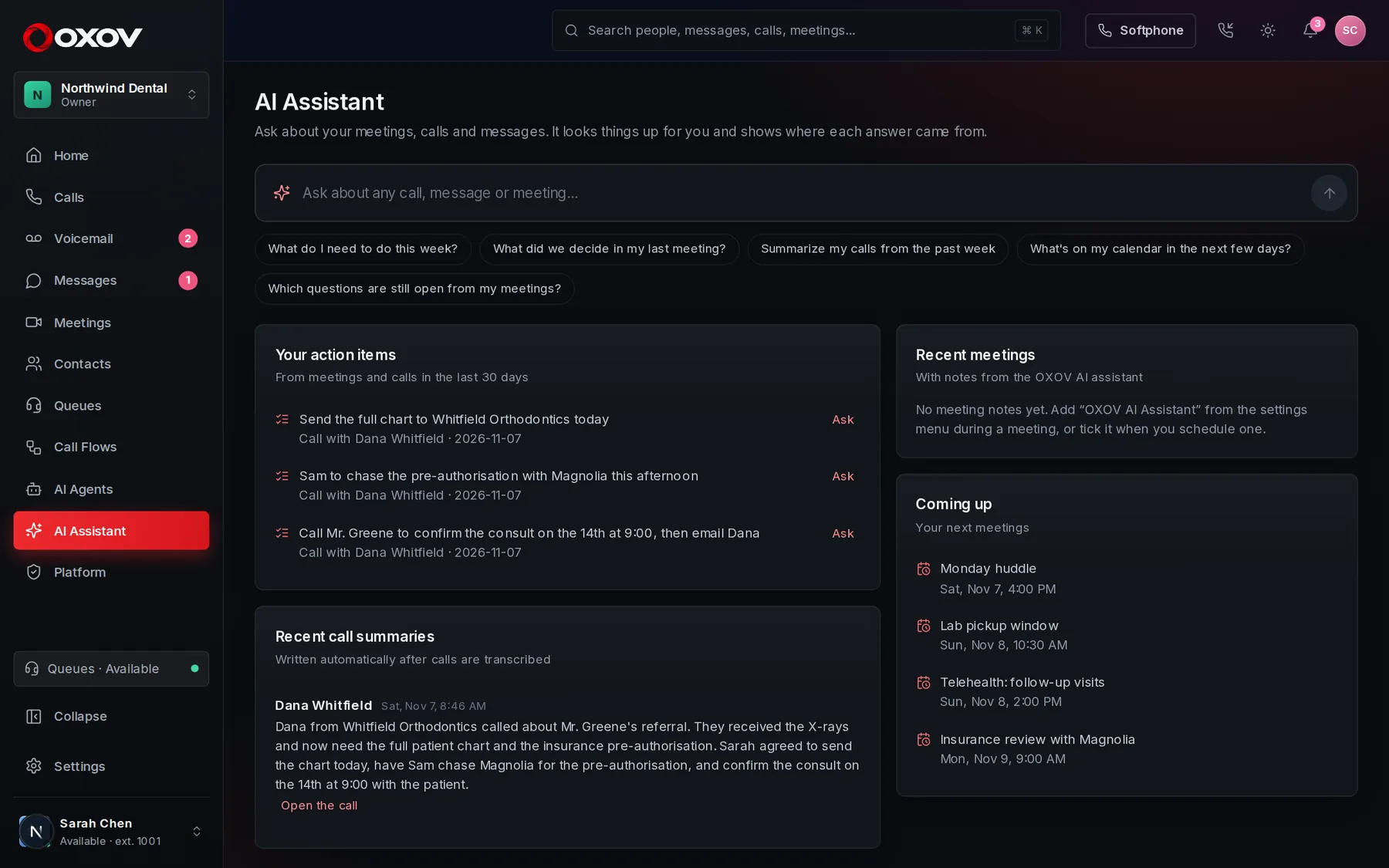
1Ask anything about your work
- “What did Dana at Whitfield need, and who owns it?”
- “What action items do I have from this week’s meetings?”
- “Find the call where we discussed the pre-authorisation.”
- “What’s on my calendar tomorrow?”
2Every answer shows its working
Under each answer are the sources it used: a meeting’s notes, a call summary, a chat message or a contact. Click one to open it right there and check what was said.
❖
Meeting notes
Decisions, action items and what people said.
☎
Call summaries
Overviews and action items from your calls.
✉
Chat messages
Conversations you are part of.
☺
Contacts and calendar
People, companies and what is coming up.
3Private and read-only
- It only sees what you could already see yourself: your calls, the meetings you attended, the chats you are in.
- It reads and reports. It never sends, edits or deletes anything.
- Your open action items from meetings and calls are shown next to the chat, ready to ask more about.
Answers come from your workspace’s own information. If it can’t find something, it says so rather than guessing.