
Messages
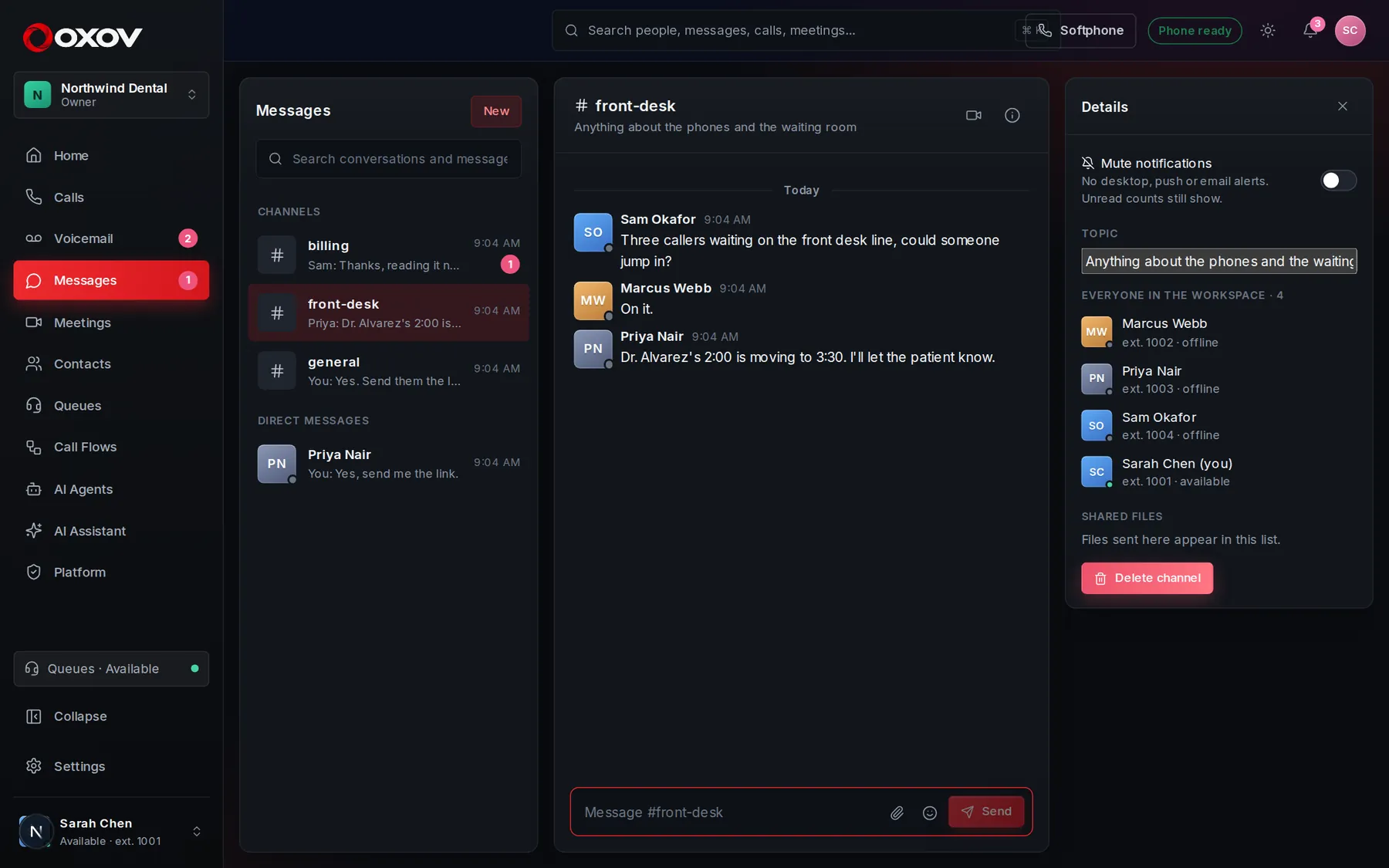
Chat with your team without leaving Cadence Talk. Start a call or a video meeting from any conversation, and the link lands in the thread.
1Conversations
Channels
Topic spaces for a team or a project. Public channels can be joined by anyone; private ones are invite-only.
Direct messages
One-to-one or small groups, for the conversations that do not belong in a channel.
Threads
Reply in context so a busy channel stays readable.
Reactions
Acknowledge a message with one click instead of another reply.
2Everyday features
- Mention a person with @ and they get a notification.
- Attach files, and see them all under the channel’s shared files.
- Search messages from the top bar, together with calls and meetings.
- See who is typing, and (if your admin allows it) who has read a message.
- Mute a conversation you only want to check on your own time.
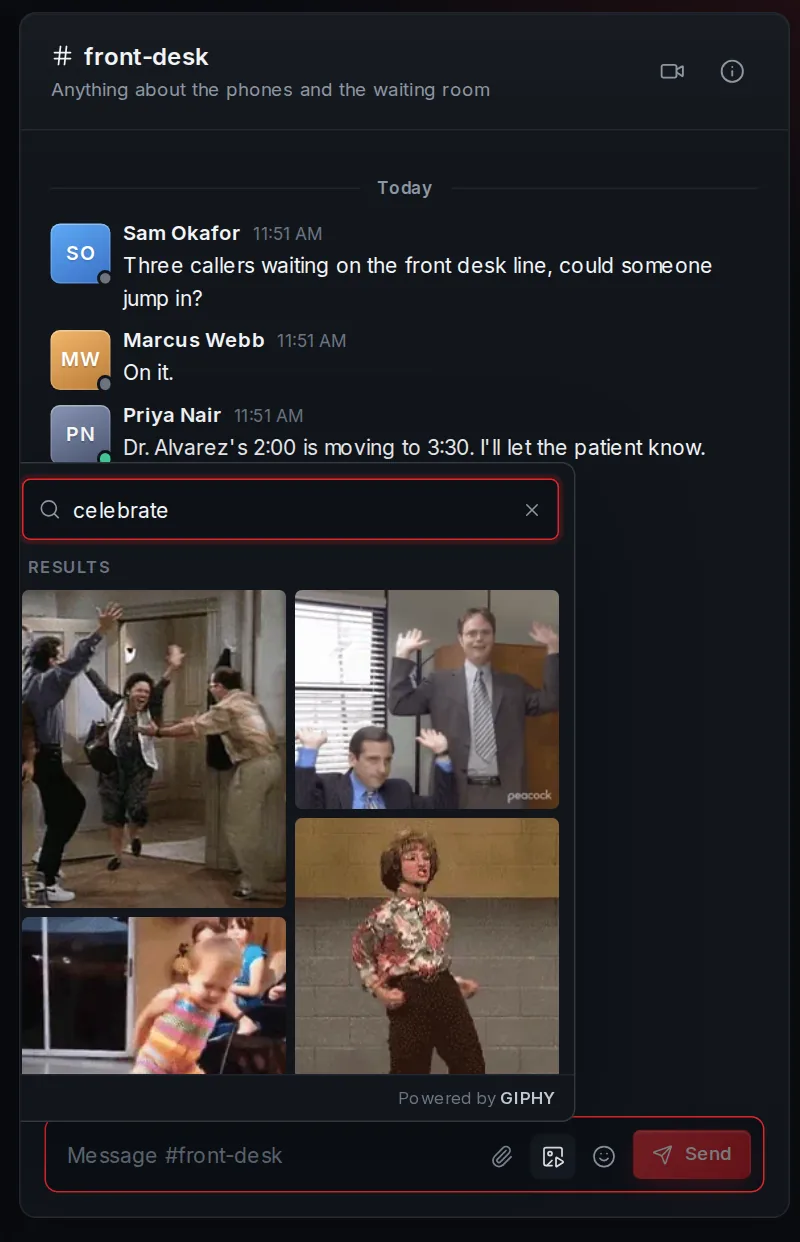
- Send a GIF from the GIF button.
- Get an email when you miss a mention, so nothing slips by.
3GIFs
Press the GIF button next to the message box to search GIPHY, or browse what is trending. Click a GIF and it is sent straight away, with anything you have typed as its caption.
- Works in channels, direct messages and threads.
- Search takes a moment after you stop typing, and Show more loads more results.
- Press Esc to close the picker.
- Results are family-friendly by default.
4Start a call or a meeting from a chat
Use the video button in any conversation to start a meeting. The invitation is posted into the conversation so everyone can join with one click. Use the phone button to call the person directly.